1. Connect the extension
Install the Chrome extension and connect it from your account.
No more searching for examples mid-answer. InterviewAssist follows questions and helps you draw on your own experience.
Chrome extension for Meet · Windows app for Zoom, Teams, and other calls

Demo profile · fictional sample answer
These are captures of the actual extension and desktop app windows. The examples use neutral test interview content.
Choose a product to view its interface capture.
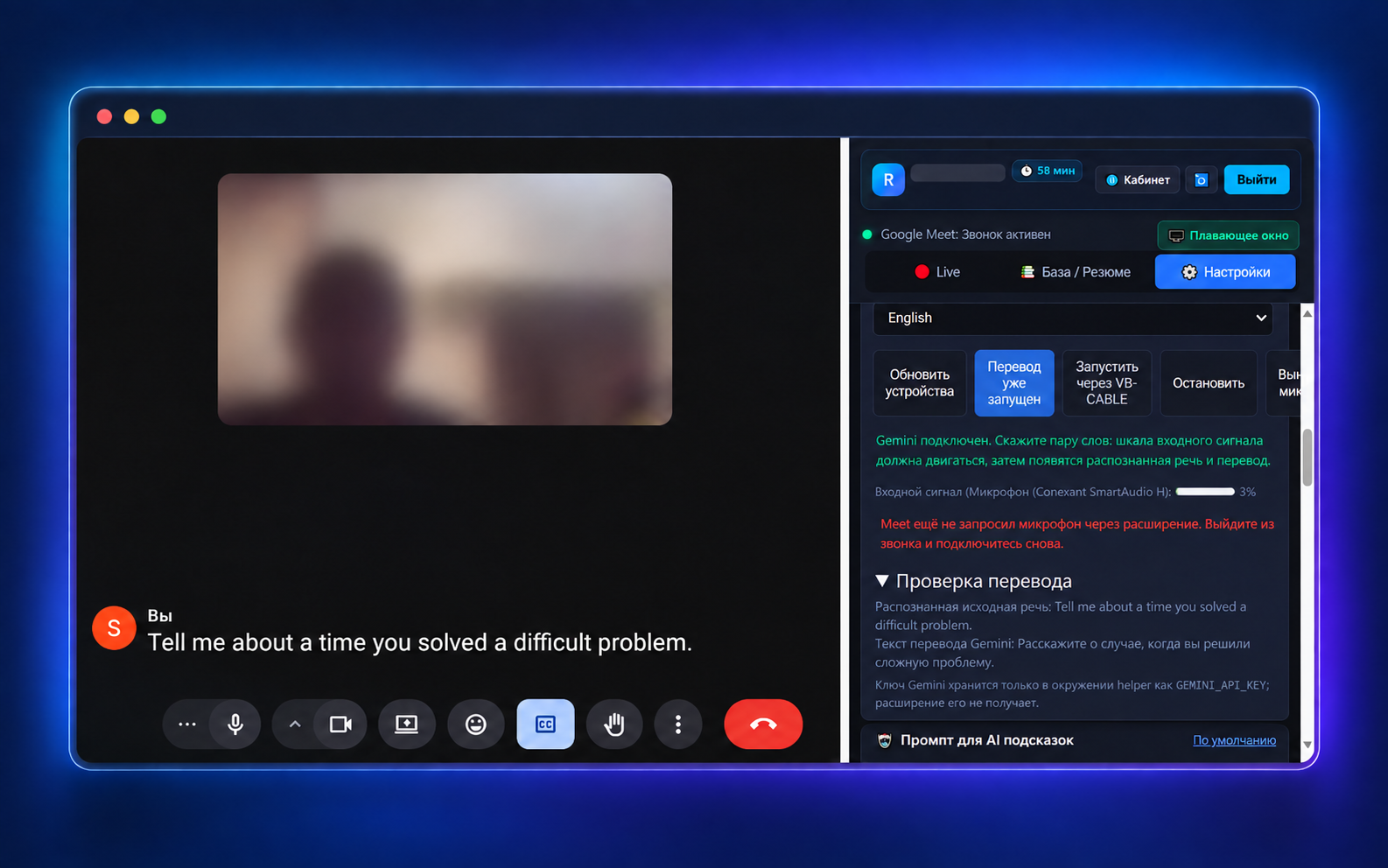
InterviewAssist helps you recall a relevant example and shape an answer around your own experience. It does not speak for you or replace your words.
Install the Chrome extension and connect it from your account.
Create an interview project: add the role, your resume, and work examples.
Open Google Meet. The recognized question and prompt appear alongside the call.
Interview context
Product Operations Manager
Resume added
3 work examples
Question → relevant example
On my previous team, releases often slipped because testing started at the very end. I moved checks into every pull request and assigned clear owners for release blockers. Over two months, on-time releases rose from 65% to 90%, and urgent rollbacks were cut in half.
The floating InterviewAssist window stays above Google Meet. When you share your full screen, Windows may exclude it in supported capture flows.
Connect your account with a code from the website, then open the app. It listens to Windows system audio and works with Zoom, Teams, and other calling apps. Window exclusion depends on the screen-sharing app; test it first.
This installer is not code-signed yet, so Windows may show a SmartScreen warning on first launch.
Tell me about a time you improved an outcome for your team.
On my previous team, releases often slipped because testing started at the very end. I moved checks into every pull request and assigned clear owners for release blockers. Over two months, on-time releases rose from 65% to 90%, and urgent rollbacks were cut in half.
Prepare in your account, then use a browser extension or the Windows app during the call.
Google Meet · субтитри
“What do you do when an important product metric suddenly drops?”
Zoom · Teams · інші дзвінки
INTERVIEWER
Tell me about a time you improved an outcome for your team.
YOUR PROMPT
On my previous team, releases often slipped because testing started at the very end. I moved checks into every pull request and assigned clear owners for release blockers. Over two months, on-time releases rose from 65% to 90%, and urgent rollbacks were cut in half.
Screen-capture exclusion is supported only by compatible Windows capture paths. Confirm behavior with your exact meeting and sharing app.
In your account · role-specific
def two_sum(nums, target):
    seen = {}
    for i, value in enumerate(nums):
        need = target - value
        if need in seen:
return [seen[need], i]Practice evaluates code but does not execute it.
Start with 10 free minutes. Pick a plan when you need more.
60 minutes for real interviews
For several interview rounds
More time to prepare and interview
Maximum freedom for preparation and interviews
A few details before your first interview.